
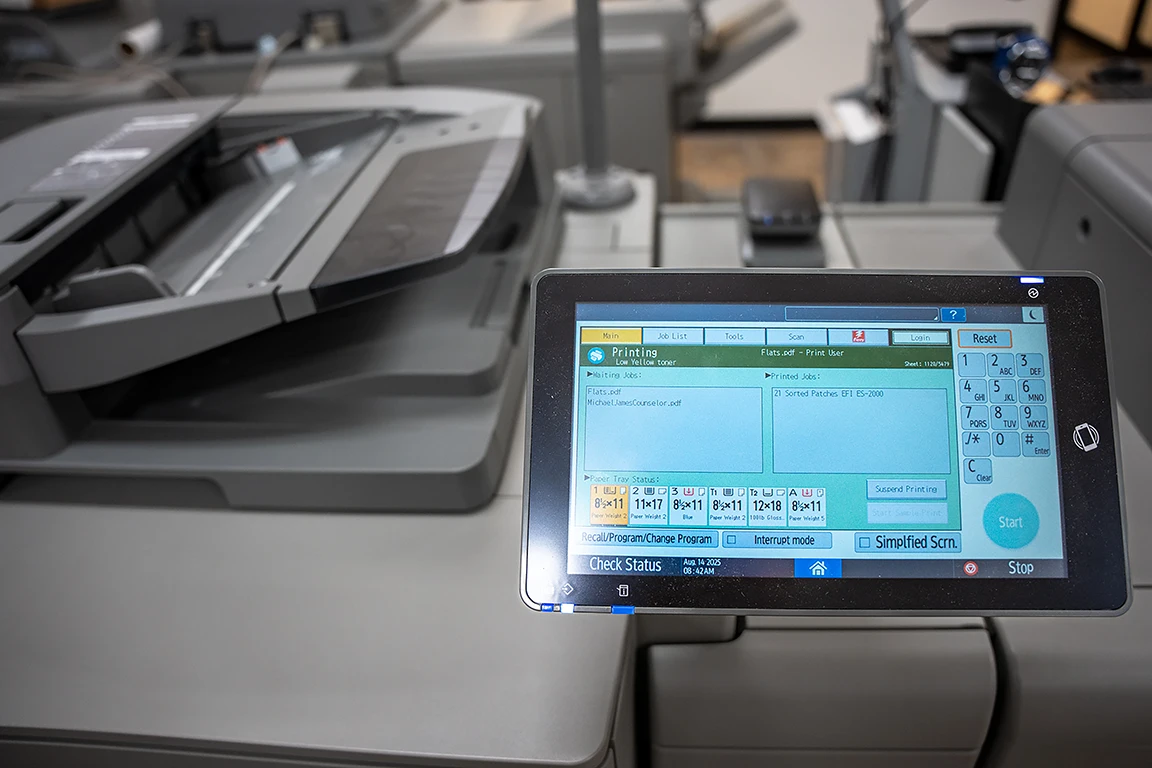
Print costs are notoriously hard to pin down. Nobody on the leadership team can ever say with confidence what the business is actually spending on printing each month — and the answer, when somebody finally digs in, is usually far higher than anyone expected. Toner sits unused on shelves while other devices run dry. Service calls come from a half-dozen vendors. Supplies arrive by accident, ordered by whoever happened to remember to call.
Managed print exists to bring that whole environment under control. Instead of treating printers as one-off purchases serviced reactively, a managed print provider takes ownership of the print fleet end-to-end — monitoring devices, replenishing supplies before they run out, securing the environment, optimizing usage, and reporting on costs so leadership actually knows what print is costing the business.
For organizations weighing whether managed print is worth pursuing, the starting point is understanding what’s actually included, how the model differs from the alternatives, and where the value tends to land.
What Managed Print Actually Means
Managed print services, often abbreviated as MPS, is a service model in which a business outsources the day-to-day responsibility for its entire print environment to a specialized provider. The provider takes on monitoring, maintenance, supplies, security, optimization, and reporting under a defined service level agreement and a predictable monthly fee.
What distinguishes managed print from traditional printer ownership is the proactive posture and the comprehensive scope. The provider isn’t a vendor that sells equipment and waits for a call when something breaks — it’s a partner whose job is keeping the print environment running smoothly, getting more efficient over time, and providing the visibility leadership needs to make informed decisions.
Managed print sits under the broader managed services umbrella, alongside service lines like managed IT, managed cybersecurity, and managed VoIP. What makes it distinct is its specialized focus on output devices, supplies logistics, and the document workflows that flow through and around them.
How Managed Print Differs From Buying Printers Outright
Three common approaches cover most of what businesses do for print, and the differences matter.
Buying or leasing equipment without management is the default model. The business purchases or leases printers, orders supplies as needed, calls a technician when something breaks, and tries to keep some kind of inventory in a spreadsheet. Costs are scattered across the budget, downtime is reactive, and nobody really knows the true total. This can work at very small scale, but the inefficiencies compound quickly as the fleet grows.
Managing print in-house means assigning the work to an internal team — typically the office manager, the IT department, or a dedicated print coordinator. The advantages include direct control and institutional knowledge of the business’s specific patterns. The drawbacks include the time burden on staff who have other jobs, the difficulty of negotiating with multiple supplies vendors, and the lack of access to fleet management tools that MSPs use at scale.
Managed print services sits above both. The model replaces unpredictable expenses with a fixed monthly cost, replaces reactive break/fix with proactive monitoring, and gives even modest-sized businesses access to the same fleet management technology that enterprise print operations rely on. Most businesses adopting MPS find that per-page costs drop, the time burden on internal staff disappears, and visibility into print costs becomes possible for the first time.
What’s Included in a Managed Print Agreement?
The exact scope varies by provider and tier, but a comprehensive managed print engagement typically covers six core areas. Each is a distinct discipline with its own tools, methods, and best practices.
Print Fleet Assessment and Optimization
The foundation of every managed print engagement. Before anything else happens, the provider conducts a thorough audit of the existing fleet — every printer, copier, scanner, and multifunction device across every location. The audit captures device makes and models, page volumes, supply costs, service histories, age, lease terms, and physical placement.
That data drives the optimization decisions. Devices running far below capacity get consolidated. Devices nearing end-of-life get scheduled for replacement. Overlapping coverage gets eliminated. Underserved areas get filled in. The goal is a fleet that fits the business — neither bloated with excess capacity nor starved of the devices employees actually need to do their work.
Optimization isn’t a one-time event. A good MPS provider revisits fleet composition regularly, adjusting as the business grows, contracts, or shifts how it uses print.
Device Management and Maintenance
The ongoing technical care of the print fleet. Remote monitoring tools track each device’s status — paper levels, toner levels, error codes, page counts, network connectivity — and feed the data into dashboards that flag issues before users notice them. When a device starts throwing warnings, the provider dispatches service proactively rather than waiting for an outage.
The discipline covers preventive maintenance schedules, firmware updates, parts replacement, break/fix service when something does fail, and the eventual end-of-life retirement of aging devices. A well-managed print fleet has measurably higher uptime than one that’s only serviced when something visibly breaks.
Supplies Management
The logistics layer that keeps the fleet running. Automated supplies management means the provider’s systems detect when toner is running low — usually weeks before the device actually runs out — and ship the replacement to arrive just in time. Paper, drums, fusers, and other consumables follow the same model.
The benefits go beyond convenience. Businesses adopting automated supplies management typically see reductions in supplies waste (no more cabinets full of toner cartridges for devices that were replaced two years ago), in emergency rush orders, and in the staff time spent tracking and ordering consumables. The supplies budget becomes predictable, and the office manager gets to focus on something else.
Print Security
Print devices are often the most overlooked attack surface in a business network. A modern multifunction printer is essentially a server with a hard drive, network connectivity, an embedded operating system, and storage of every document it’s processed. Without proper hardening, MFPs become entry points for attackers and exfiltration paths for sensitive information.
Print security covers secure print release (where documents only print when the user authenticates at the device), MFP authentication via card readers or PINs, hard drive encryption, network segmentation for print devices, secure firmware management, and audit trails that track who printed what. For organizations subject to HIPAA, FERPA, or PCI DSS, the documentation and controls required for print compliance map directly to what a competent MPS provider delivers as standard practice.
Print Workflow and Automation
The software layer that connects print to the broader business. Follow-me or pull printing lets users send a job from any device and release it at whichever printer they happen to be near — useful for hybrid workforces, mobile employees, or anyone tired of walking to the wrong machine. Mobile printing extends the same capability to phones and tablets. Cloud print management eliminates the need for on-premise print servers entirely.
Beyond printing itself, modern MPS engagements often include scan-to-workflow capabilities — using MFPs as on-ramps to document management systems, optical character recognition pipelines, and approval workflows. A scanned invoice can route directly to accounts payable, an executed contract can land in the right repository, and the paper that does need to be created moves through the business with less friction.
Cost Analysis and Reporting
The visibility layer that turns print from a black-box expense into a managed cost line. Reporting tools surface print volumes by department, device, user, and document type. Cost-per-page metrics make true cost visible — including supplies, hardware amortization, energy, and service. Departmental chargebacks become possible. Sustainability metrics like pages saved or energy consumed become reportable.
The reporting matters because what gets measured tends to get managed. When a department sees its own print costs broken out monthly, behavior shifts. When leadership sees fleet utilization in a single dashboard, capital decisions get better. The MPS provider’s job isn’t just to deliver the reports — it’s to help interpret them and recommend the next round of optimization.
Why Businesses Choose Managed Print
The case for managed print usually combines several drivers.
Cost predictability tops the list for most CFOs. Print is one of those office expenses that lives in a half-dozen budget lines, gets billed by multiple vendors, and never quite reconciles to a single number. A managed print agreement consolidates everything into a known monthly cost — devices, supplies, service, software — making the budget tractable for the first time.
Reduced waste shows up in two places. Supplies waste drops because automated replenishment eliminates the parallel hoarding of “just in case” toner inventory across the organization. Print volume waste drops because secure print release and reporting visibility together discourage unnecessary printing — pages sent but never picked up simply don’t get printed.
Improved security posture lands particularly hard for businesses that hadn’t been thinking about print as a security risk in the first place. The first MPS engagement at most organizations reveals MFPs running outdated firmware, default admin passwords still in place, unencrypted hard drives storing years of document images, and no audit trails on document access. Fixing all of that is mostly invisible to end users but materially reduces risk.
Time returned to internal teams is the quieter benefit. The office manager who was spending half a day a week dealing with printer issues gets that time back. The IT staff who used to install drivers and troubleshoot connectivity get to focus on actual IT work. The procurement team stops fielding emergency toner orders.
Sustainability gains are real and increasingly reportable. Right-sized fleets consume less energy. Reduced paper waste cuts the carbon footprint of paper sourcing and disposal. Many MPS providers can supply the documentation needed for corporate sustainability reporting and ESG disclosures.
Common Managed Print Pricing Models
MPS contracts are typically priced one of several ways.
Cost-per-page pricing charges a fixed rate for every printed page — usually with separate rates for black-and-white versus color, sometimes with volume tiers. The model is simple, easy to budget, and aligns the provider’s incentives with the business’s interest in reducing waste. It’s also the most common approach for office MPS.
All-inclusive pricing bundles devices, supplies, service, and software into a single monthly fee covering a defined fleet. The model favors businesses with stable print volumes that prefer simple, predictable budgeting over the variability of cost-per-page billing.
Tiered or bronze/silver/gold pricing structures bundle different service levels into named tiers — a basic tier covering devices and supplies, a mid tier adding security and reporting, a top tier adding workflow automation and strategic advisory work. Businesses pick the tier that matches their current needs and upgrade as needs evolve.
Hybrid models combine a base MPS agreement with project-based billing for major work — fleet refreshes, office moves, large software deployments, or production print projects. The base agreement covers ongoing operations; projects get scoped and billed separately.
Whichever model a provider uses, the key questions stay consistent: what’s in scope, what’s out of scope, what triggers additional charges, what happens at renewal, and how the SLA defines response times and resolution windows.
When Managed Print Makes the Most Sense
A few patterns make the case for managed print especially strong.
Businesses running more than a handful of devices almost always benefit, because the operational complexity that managed print eliminates scales with fleet size. Multi-location operations gain the most, since centralized fleet management replaces the alternative of every location managing its own equipment and supplies. Organizations with significant regulatory exposure — healthcare, legal, financial services, government contractors — gain the compliance documentation and security controls that come standard with a well-run MPS engagement.
Lean operations teams that have been quietly absorbing print management as an unwanted duty get their time back. Rapidly growing businesses gain scalability — adding devices, locations, or users through the existing provider relationship rather than starting a new vendor search every time the company expands.
The businesses where managed print is hardest to justify are the smallest single-location operations with two or three devices and stable, low print volumes. Even there, the security and supplies-automation benefits can pencil out, but the case is closer.
Choosing a Managed Print Provider
The MPS market is crowded, and the differences between providers matter. A few criteria separate the right partner from the wrong one.
Local Presence and Service Response
Print devices need physical service. When something requires a technician on site, response time depends on whether that technician is a half-hour away or two states over. National providers with local subcontractor networks rarely match the responsiveness of a regional provider with its own service team in the same market.
Vendor-Neutral Device Selection
Some MPS providers are tied to a single manufacturer and recommend devices accordingly, regardless of fit. The best providers are vendor-neutral — able to evaluate Xerox, HP, Canon, Konica Minolta, Ricoh, and Sharp on the merits and recommend whatever genuinely matches the business’s needs. Worth asking early in the conversation whether the provider has manufacturer relationships that constrain device choice.
Security Maturity
A provider managing print is, by definition, managing devices that store sensitive documents. The provider’s own security posture, the security controls deployed by default, and the reporting available for compliance audits all matter. Ask how the provider hardens MFPs, what authentication options come standard, and whether security configurations are reviewed on an ongoing basis or just at initial setup.
Reporting and Transparency
The whole point of managed print is visibility — into volumes, costs, and behavior. A provider that delivers spreadsheets via email quarterly is not delivering the same value as one with live dashboards, configurable reports, and a willingness to dig into the data with the client. Ask to see sample reports during the evaluation process.
Cultural Fit and Long-Term Partnership
The intangible that often determines whether the relationship holds up over time. A provider that picks up the phone, communicates clearly, follows through on commitments, and treats every interaction as part of a longer partnership is the one to sign with — regardless of how the pricing models compare on a spreadsheet.
Seven Decades of Print Expertise Across Oklahoma, Kansas, and Missouri
RK Black has been managing print environments for businesses across Oklahoma, Kansas, and Missouri for more than 70 years. Our approach combines the comprehensive lineup of a full-service managed services provider — Managed IT, Managed Cybersecurity, Managed VoIP, Document Management, Mailing Systems — with the depth of print-specific expertise that comes from seven decades in the business. Our corporate values of caring, integrity, and excellent client care have guided our family-owned company for generations and translate into a service model built around predictable costs, proactive monitoring, vendor-neutral device recommendations, and the kind of local accountability only a regional partner can deliver.
Technology fails. RK Black doesn’t.
To explore whether managed print is the right fit for your business — or to map out a fuller technology strategy across multiple service lines — reach out to our team for a conversation. A short discovery call is usually all it takes to identify where managed print would deliver the most immediate value.