
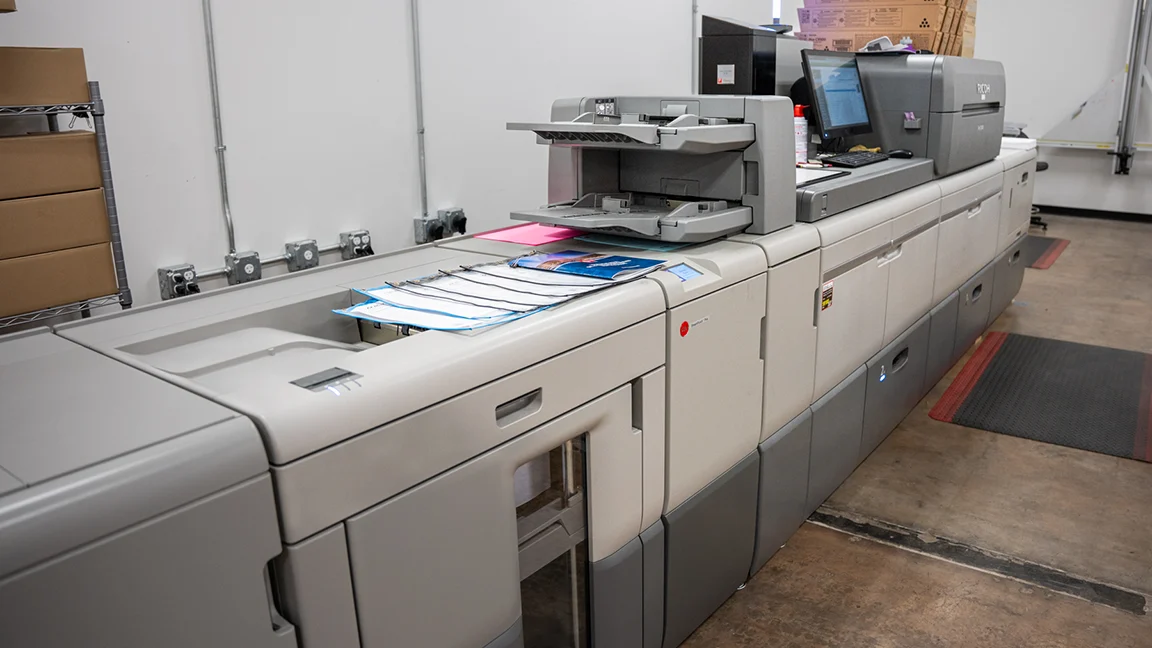
The question of whether multi-functional printers represent the optimal choice for modern offices depends entirely on how your organization actually works. Single-function devices dominated offices for decades because they excelled at specific tasks—printers printed quickly, copiers handled high volumes, scanners delivered quality digitization, and fax machines managed telecommunications.
Multi-functional printers (MFPs) consolidated these capabilities into unified devices that promise space savings, cost reductions, and simplified management. But consolidation creates new challenges around device placement, workflow bottlenecks, and failure impact that require careful consideration.
Understanding whether MFPs suit your office requires honest assessment of your printing patterns, physical layout, and operational priorities rather than assumptions about what modern offices should use.
Space and Cost Efficiency Benefits
Multi-functional printers eliminate the equipment redundancy that consumes valuable office real estate. A single MFP occupying six square feet replaces separate printers, copiers, scanners, and fax machines that might collectively consume twenty square feet or more. In expensive urban office space, this footprint reduction translates directly to cost savings beyond the equipment itself.
Purchasing and maintaining one device instead of four reduces both upfront capital expenditure and ongoing service costs. MFPs require a single maintenance contract, one set of consumables, and unified troubleshooting rather than managing multiple vendor relationships and service agreements.
Network infrastructure also simplifies when deploying MFPs. A single network connection, IP address, and driver installation supports all document functions rather than configuring multiple devices and managing separate print queues for different capabilities. This simplification reduces IT support burden while improving reliability.
However, these efficiency gains assume the MFP placement works for all consolidated functions. When users must walk excessive distances to access scanning or copying capabilities they previously had nearby, productivity losses can exceed the cost savings from consolidation.
Workflow Considerations and Bottlenecks
Consolidating multiple devices into single MFPs creates potential bottlenecks when several employees need different functions simultaneously. A colleague running a fifty-page copy job blocks others from printing, scanning, or faxing until completion—a problem that didn’t exist when separate devices handled each function.
Queue management becomes critical in offices where document production represents core workflow rather than occasional administrative tasks. Legal practices generating hundreds of pages of discovery materials, accounting firms processing tax season documentation, or creative agencies producing client presentations all face workflow disruption when high-volume jobs monopolize MFPs.
Strategic device placement mitigates some bottleneck concerns. Deploying multiple MFPs in high-traffic areas provides redundancy when one device experiences heavy use or requires maintenance. This approach preserves consolidation benefits while maintaining workflow capacity.
R.K. Black Inc. has spent 70 years helping businesses across Oklahoma, Kansas, and Missouri optimize their document production infrastructure. The right balance between consolidation and capacity varies significantly based on industry, company size, and specific workflow requirements.
Print Volume and Speed Requirements
Modern MFPs deliver impressive speed specifications—thirty, forty, or even sixty pages per minute—that handle most office printing needs efficiently. But rated speeds measure optimal conditions with standard documents, not the complex graphics, mixed media, or specialty printing that many offices routinely produce.
Organizations with sustained high-volume printing requirements may find MFPs insufficient despite impressive specifications. Production print environments benefit from dedicated high-capacity printers designed for continuous operation rather than intermittent office use. These specialized devices handle volume and duty cycles that would quickly overwhelm even robust MFPs.
Conversely, small offices with modest printing needs may find entry-level MFPs perfectly adequate for all document functions. The key lies in matching device capabilities to actual usage patterns rather than assuming all MFPs suit all offices equally.
Consider both average daily volume and peak demand scenarios. An MFP handling typical daily loads might buckle during month-end reporting, quarterly board meetings, or seasonal business cycles that temporarily spike document production needs. Planning for peak usage prevents workflow disruptions during critical business periods.
Scan Quality and Document Management Integration
MFP scanning capabilities have improved dramatically, with many models now offering scanning quality comparable to dedicated document scanners. Automatic document feeders handle multi-page scanning efficiently, while duplex scanning captures both sides of documents in single passes.
Integration with document management systems determines whether MFPs effectively replace dedicated scanners. Modern MFPs can scan directly to network folders, email addresses, cloud storage platforms, or document management applications without routing through individual workstations. This integration enables paperless workflows that improve efficiency beyond simple digitization.
However, specialized scanning needs may still require dedicated devices. Large-format document scanning, extremely high-resolution image capture, or delicate historical document digitization demands capabilities that standard MFPs don’t provide. Organizations with these specialized requirements benefit from hybrid approaches combining MFPs for routine scanning with dedicated scanners for special situations.
Failure Impact and Business Continuity
Single points of failure create vulnerability that multi-device environments naturally avoid. When an office relies on one MFP for all document functions, any device failure halts printing, copying, scanning, and faxing simultaneously. This complete capability loss proves far more disruptive than a dedicated printer failure would be in environments with separate devices.
Failure impact mitigation strategies include:
- Deploying multiple MFPs to provide backup capacity when one device fails
- Maintaining service contracts with rapid response guarantees minimizing downtime duration
- Keeping backup devices available for emergency use during extended outages
- Implementing managed print services that monitor device health and enable proactive maintenance
Managed services approach document production infrastructure strategically, balancing consolidation benefits against business continuity requirements. Proactive monitoring identifies potential failures before they occur, and rapid response protocols minimize disruption when problems do develop.
The failure impact tolerance varies by organization. Small offices might accept occasional disruption in exchange for cost savings and simplicity. Mission-critical environments requiring constant document production capability need redundancy that single MFPs can’t provide alone.
Feature Requirements for Specific Industries
Industry-specific document requirements often determine whether standard MFPs provide adequate functionality or specialized equipment becomes necessary. Healthcare environments need HIPAA-compliant features including secure print release, encrypted storage, and detailed audit trails. Financial services require similar security capabilities plus check scanning and deposit processing integration.
Creative industries benefit from color accuracy, large-format capabilities, and specialty media handling that standard office MFPs don’t provide. Wide-format printers serve architectural firms, engineering companies, and design agencies producing oversized documents that standard MFPs can’t accommodate.
Legal and accounting practices handling extremely high document volumes need robust duty cycles, advanced finishing options like stapling and hole-punching, and sophisticated document routing capabilities. Standard MFPs may lack the capacity or features these environments require for efficient operation.
Assessing your industry-specific requirements before committing to MFPs prevents discovering capability gaps after deployment. Understanding these specialized needs might lead to hybrid solutions combining MFPs for routine work with specialized devices for industry-specific functions.
Security and Compliance Considerations
Document security requirements have elevated MFP selection from simple capability matching to strategic security planning. Modern MFPs store document images temporarily or permanently on internal hard drives, creating data security concerns if drives aren’t encrypted or properly wiped during disposal or service.
Network-connected MFPs require the same security attention as servers and workstations. Default passwords, unpatched firmware, and open network ports create vulnerability that attackers exploit to gain network access or intercept sensitive documents. Proper MFP security configuration includes authentication requirements, encrypted data transmission, and regular firmware updates.
Compliance frameworks increasingly address print infrastructure security. HIPAA, GDPR, PCI DSS, and other regulations mandate controls over document access, transmission, and storage that MFP deployments must satisfy. Pull printing requiring authentication before releasing jobs, encrypted scan-to-email, and comprehensive audit logging all support compliance requirements.
Organizations in regulated industries should evaluate MFP security capabilities as carefully as functional specifications. The cheapest device often lacks security features that compliance requirements demand, making cost comparison more complex than purchase price alone suggests.
Total Cost of Ownership Analysis
Initial purchase price represents only one component of MFP total cost of ownership. Consumables including toner, maintenance kits, and replacement parts accumulate substantial ongoing expenses. Service contracts, electricity consumption, and supplies also contribute to lifetime costs that may exceed initial device investment.
Managed print services transform unpredictable variable costs into fixed monthly fees covering devices, supplies, maintenance, and support. This approach provides budget predictability while often reducing total costs through volume purchasing, proactive maintenance, and consumption optimization.
Page-based pricing models charge per page printed regardless of consumable costs or maintenance requirements. Organizations with predictable printing volumes benefit from simplified budgeting and elimination of surprise repair expenses. The per-page rate includes everything except paper, making cost forecasting straightforward.
Comparing MFP total ownership costs to maintaining separate devices requires analyzing not just equipment and supply expenses but also IT support time, physical space costs, and productivity impact from device failures or workflow inefficiencies. This comprehensive analysis often reveals that the lowest-cost equipment creates the highest total ownership cost.
Right-Sizing Device Capabilities
MFP selection involves matching capabilities to requirements without excessive over-specification or inadequate functionality. Organizations frequently purchase more device than they need, paying for speed, capacity, or features their usage patterns don’t justify.
Entry-level MFPs costing a few hundred dollars serve small offices with modest printing needs. Mid-range devices handling higher volumes and offering advanced features suit most businesses. High-end production MFPs approach dedicated production printer capabilities while maintaining multifunction versatility.
The temptation to buy excessive capacity as insurance against future growth often results in underutilized expensive equipment. Device capabilities should match current needs with modest growth allowance rather than speculative future requirements that may never materialize.
Usage analysis revealing actual printing patterns, scan volumes, and copy requirements provides the foundation for appropriate device selection. Many organizations discover they’re substantially over-equipped once they examine real usage data rather than relying on assumptions.
Making the Right Choice for Your Office
Multi-functional printers represent the optimal choice for many modern offices, delivering space efficiency, cost savings, and management simplification that separate devices can’t match. But “many” doesn’t mean “all”—certain operational requirements, workflow patterns, and business models favor different approaches.
Small to medium offices with moderate document production needs, standard security requirements, and tolerance for occasional workflow bottlenecks benefit most from MFP consolidation. The cost savings, space efficiency, and simplified management outweigh the potential drawbacks.
Large organizations, high-volume environments, and businesses with specialized document requirements often need hybrid approaches combining MFPs for routine functions with specialized devices for specific capabilities. This strategy preserves consolidation benefits while maintaining the capacity and features that pure MFP deployment can’t provide.
The answer to whether multi-functional printers represent the best choice for modern offices isn’t universal—it’s specific to your organization’s actual needs, usage patterns, and operational priorities. Technology should serve business requirements rather than forcing business processes to adapt to equipment limitations.