
The infrastructure decision facing your business today will shape operations for years to come. On premises vs. cloud—this choice determines everything from your monthly IT budget to how quickly you can respond to market opportunities. Yet many organizations rush into cloud migration without fully understanding what they’re gaining and what they’re giving up.
Both approaches offer legitimate advantages depending on your specific business needs, compliance requirements, and growth trajectory. The key lies in matching infrastructure to your operational reality rather than following trends.
Understanding On Premises Infrastructure
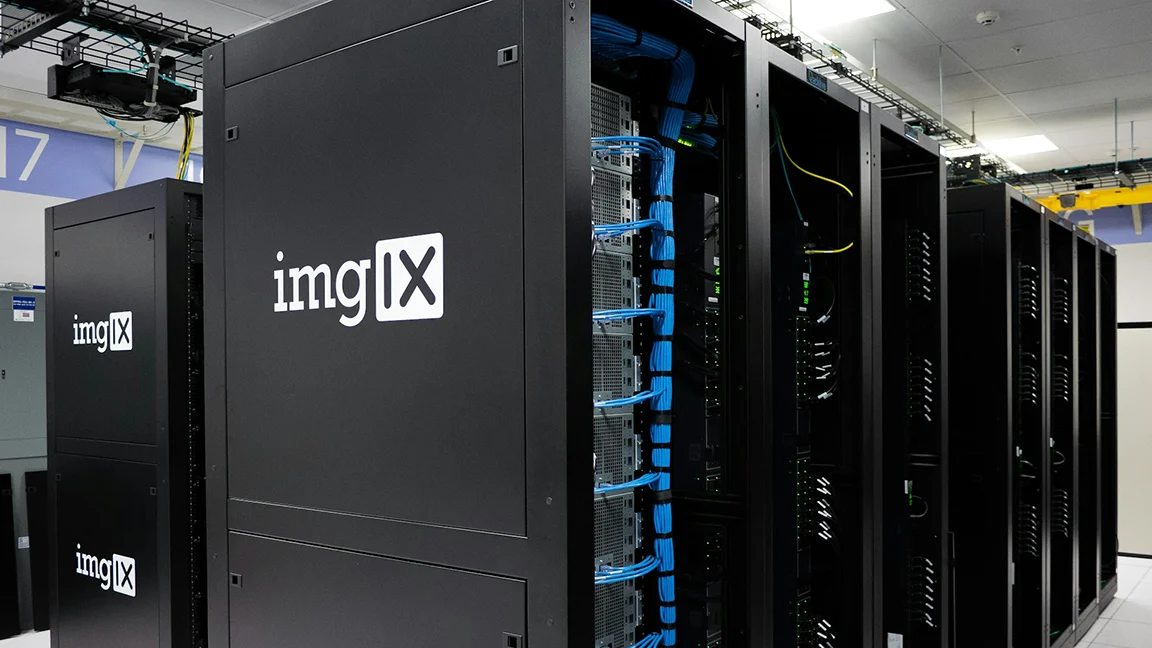
On premises solutions mean your business owns, operates, and maintains all hardware and software within your physical facilities. Servers sit in your building, data resides on your equipment, and your IT team manages everything from rack installation to security patches.
This traditional approach gives you complete physical control over your technology environment.
What On Premises Really Includes
When evaluating on premises infrastructure, you’re committing to more than just buying servers:
- Hardware purchases – servers, storage arrays, networking equipment, backup systems
- Facility requirements – dedicated server rooms with cooling, power redundancy, fire suppression
- Ongoing maintenance – equipment upgrades, component replacements, capacity expansion
- Staffing needs – IT professionals to manage, monitor, and maintain systems around the clock
- Software licensing – perpetual licenses, annual maintenance agreements, version upgrades
The capital expenditure model means large upfront investments that depreciate over time. You own the equipment, which appears as an asset on your balance sheet but requires continuous reinvestment as technology evolves.
Cloud Solutions Explained
Cloud computing delivers IT resources over the internet from remote data centers operated by third-party providers. Rather than owning physical infrastructure, you rent computing capacity, storage space, and software applications on a subscription basis.
Your data and applications run on someone else’s hardware.
This fundamental shift transforms IT spending from capital expenditure to operational expense. Instead of buying a server that might last five years, you pay monthly for exactly the capacity you need right now. Next month, if requirements change, you adjust your subscription up or down.
Cloud Deployment Models
Cloud services come in several forms, each offering different levels of control and responsibility:
Infrastructure as a Service (IaaS) provides virtual servers, storage, and networking. You manage operating systems, applications, and data while the provider handles physical infrastructure.
Platform as a Service (PaaS) adds middleware, development tools, and database management. You focus on building and running applications without worrying about underlying systems.
Software as a Service (SaaS) delivers complete applications over the internet. You simply use the software through a web browser while the provider manages everything else.
Cost Comparison: On Premises vs. Cloud
Financial analysis of on premises vs. cloud rarely provides clear-cut answers because the cost structures differ fundamentally.
On Premises Cost Structure
Capital expenses dominate on premises deployments. You might spend $50,000 on server hardware, another $20,000 on networking equipment, plus facility upgrades to support your equipment. These purchases happen upfront before you’ve gained any business value from the systems.
Operating expenses continue throughout the equipment lifecycle. Power consumption, cooling costs, maintenance contracts, and replacement parts add up over time. Your IT staff dedicates significant hours to keeping systems running, time they could otherwise spend on strategic initiatives that drive business growth.
The predictability works in your favor once systems are operational—monthly costs remain relatively stable unless you need to expand capacity.
Cloud Cost Analysis
Cloud eliminates large capital outlays in exchange for ongoing subscription fees. You pay for virtual machines by the hour, storage by the gigabyte, and network traffic by data transferred. These costs scale directly with usage, which can be either beneficial or concerning depending on your consumption patterns.
The monthly bill fluctuates based on actual usage.
A pilot project might cost $500 monthly, then jump to $5,000 when you move into production. Seasonal businesses experience dramatic swings—retail operations might see cloud costs triple during holiday periods when transaction volumes spike.
Hidden costs emerge over time. Data egress fees charge you for moving information out of the cloud. Premium support contracts add thousands annually. Specialized services like managed databases or AI tools carry premium pricing. What started as an affordable $1,000 monthly subscription can balloon to $10,000 as your usage sophisticates.
Security Considerations in Both Environments
Security concerns dominate infrastructure discussions, yet misconceptions abound regarding the safety of on premises vs. cloud deployments.
On Premises Security Control
Physical control over your infrastructure means you implement security exactly as you see fit. Your firewalls run your preferred software configured to your specifications. Your encryption uses algorithms you’ve selected. Your access controls follow your corporate policies without compromise.
This control brings tremendous responsibility. You must stay current with security patches, respond to emerging threats, and maintain expertise across an expanding technology landscape. A single misconfiguration can expose your entire network to attack.
Your security is only as strong as your weakest link.
Small and mid-sized businesses often lack the specialized security talent required to properly defend on premises infrastructure. While you have complete control, do you have the knowledge and resources to wield that control effectively?
Cloud Security Realities
Cloud providers invest billions in security infrastructure that individual businesses could never afford. Teams of security specialists monitor systems 24/7, respond to threats in real time, and maintain expertise across the entire security landscape. They operate at a scale that makes advanced security measures economically viable.
However, you’re trusting a third party with your most sensitive data. Despite contracts and certifications, your information resides on shared infrastructure alongside other organizations. Data breaches at cloud providers can expose thousands of customers simultaneously.
The shared responsibility model means you still handle certain security aspects:
- Access management – controlling who can access your cloud resources
- Data encryption – protecting sensitive information within cloud applications
- Application security – ensuring the software you build or deploy is secure
- Compliance configuration – setting up systems to meet regulatory requirements
Performance and Reliability Factors
On Premises Performance Advantages
Applications running on local infrastructure deliver predictable performance. Network latency measures in microseconds rather than milliseconds, which matters enormously for real-time applications or large data transfers between systems.
You control the entire performance equation—processor speed, memory allocation, storage configuration, network bandwidth. When a critical application needs more resources, you add them without seeking approval from an external provider.
Reliability depends entirely on your infrastructure design and maintenance practices. Properly configured on premises systems with redundant power, backup hardware, and disaster recovery procedures can achieve exceptional uptime. Improperly maintained systems fail regularly, taking your business operations down with them.
Cloud Reliability Promises
Major cloud providers build massive redundancy into their infrastructure. Your virtual machines run across multiple physical servers, storage replicates automatically, and network paths offer numerous failover options. If one component fails, others seamlessly take over without service interruption.
Service level agreements guarantee specific uptime percentages, often 99.9% or higher. Fall below these thresholds and you receive service credits—though credits don’t compensate for lost revenue during outages.
Internet dependency creates a single point of failure outside your control. Your cloud applications might be perfectly healthy, but if your internet connection fails, employees can’t access critical systems. This vulnerability requires businesses to invest in redundant internet connections and failover procedures, adding complexity and cost.
Compliance and Regulatory Challenges
Regulatory requirements significantly impact the on premises vs cloud decision, particularly for organizations handling sensitive data.
Industry-Specific Regulations
Healthcare organizations operating under HIPAA face strict requirements about where patient data resides and how it’s protected. Financial institutions must comply with regulations governing customer information security. Government contractors deal with classification requirements and data sovereignty concerns.
On premises infrastructure offers clear compliance advantages when regulations explicitly require data to remain within your physical control. You know exactly where information resides, who has access, and how it’s protected because you control every aspect of the environment.
Cloud providers now offer compliance-focused services designed around specific regulatory frameworks. However, you remain ultimately responsible for compliance even when using cloud infrastructure. Auditors will question your vendor selection process, contract terms, and ongoing oversight procedures.
Data Sovereignty Requirements
Some regulations mandate that certain data never leaves specific geographic boundaries. European data privacy laws, for example, require particular information about EU citizens to remain within EU borders.
Cloud providers operate global data centers, but you must carefully configure services to ensure data stays within required jurisdictions. Mistakes in configuration could place your data in non-compliant locations without your knowledge, exposing your organization to regulatory penalties.
Scalability and Business Agility
The ability to quickly adjust capacity separates cloud from on premises infrastructure in meaningful ways.
Cloud Scalability Advantages
Launch a new application Monday morning that becomes wildly popular by Friday afternoon? Cloud infrastructure scales to meet demand within minutes. Add virtual machines, increase storage capacity, and expand database resources through web interfaces without touching physical hardware.
This elasticity particularly benefits businesses with variable workloads:
- Retailers handling seasonal transaction spikes
- Media companies managing viral content
- Development teams running temporary test environments
- Startups experiencing rapid user growth
You pay only for resources actually consumed, making experimentation affordable. Spin up an expensive computing cluster for a week-long data analysis project, then shut it down when finished. The total cost might be hundreds of dollars rather than the tens of thousands required to purchase equivalent hardware.
On Premises Scaling Limitations
Expanding on premises capacity requires planning, procurement, and physical installation. Recognize you need more database capacity? You’ll wait weeks or months for hardware delivery, then spend days installing and configuring equipment.
This lead time forces you to overprovision infrastructure—buying capacity ahead of need to ensure you don’t run out at critical moments. You pay for servers that sit partially idle most of the time, insurance against unexpected growth that may never materialize.
However, once capacity exists, you’ve already paid for it. Adding another application to existing servers costs nothing beyond software licensing. The marginal cost of utilizing installed capacity is effectively zero, making on premises infrastructure efficient when running at high utilization levels.
Hybrid Approaches: Best of Both Worlds
Most businesses don’t need to choose exclusively between on premises vs. cloud—hybrid models blend both approaches based on specific workload requirements.
Keep sensitive core systems on premises while moving commodity workloads to the cloud. Financial systems and proprietary databases might remain within your data center for security and compliance reasons, while email, collaboration tools, and development environments run in the cloud.
This strategy requires sophisticated integration between environments. Applications need to seamlessly access data regardless of where it resides. Security policies must extend consistently across both infrastructures. Your IT team maintains expertise in two fundamentally different technology models.
The complexity increases operational burden but provides flexibility that pure strategies cannot match.
Making the Right Choice for Your Business
The on premises vs. cloud decision depends on factors specific to your organization. Consider these key questions:
How predictable are your computing needs? Stable, consistent workloads favor on premises infrastructure where you fully utilize purchased capacity. Highly variable demands benefit from cloud elasticity.
What compliance requirements govern your data? Strict regulatory frameworks might necessitate on premises control, while less restrictive environments allow cloud flexibility.
Do you have skilled IT staff? Maintaining on premises infrastructure requires diverse technical expertise. Small teams might find cloud services more manageable despite higher costs.
How critical is performance? Applications requiring extreme speed and minimal latency often perform better on local infrastructure.
What’s your capital position? Cloud’s operational expense model appeals to businesses avoiding large capital outlays, while organizations with capital availability might prefer the long-term cost advantages of owned infrastructure.
Risk Mitigation Strategies
Regardless of which infrastructure approach you choose, understanding and addressing risks protects your business from technology failures.
On Premises Risk Management
- Implement redundant systems to eliminate single points of failure
- Maintain current backup procedures with offsite storage
- Document disaster recovery procedures and test them regularly
- Keep security patches current across all systems
- Plan equipment refresh cycles before failures occur
Cloud Risk Mitigation
- Choose providers with strong security track records and appropriate certifications
- Negotiate contracts that address your specific compliance requirements
- Monitor costs closely to prevent budget surprises
- Maintain local backups of critical cloud data
- Develop contingency plans for provider outages or service termination
Your infrastructure choice shapes business operations fundamentally. Whether you select on premises control, cloud flexibility, or a hybrid approach, the decision requires careful analysis of your specific needs, constraints, and growth trajectory rather than following industry trends.
Technology fails. We don’t.
Build reliable infrastructure with expert guidance on managed IT services, network solutions, and cybersecurity strategies designed for your business. Contact R.K. Black to evaluate your infrastructure options and implement solutions that support your success.